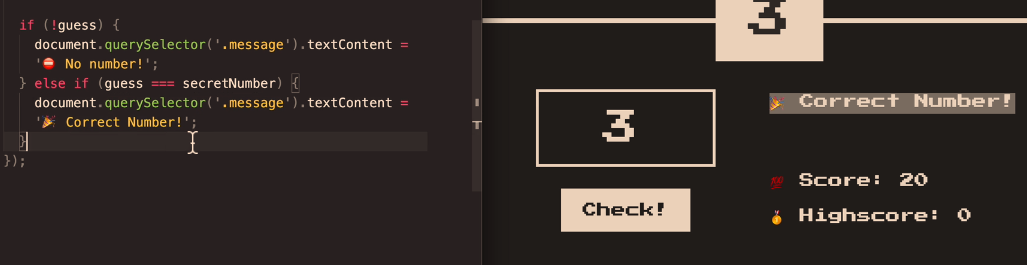
The code above will print “No number” if a number isn’t entered into the relevant form field.
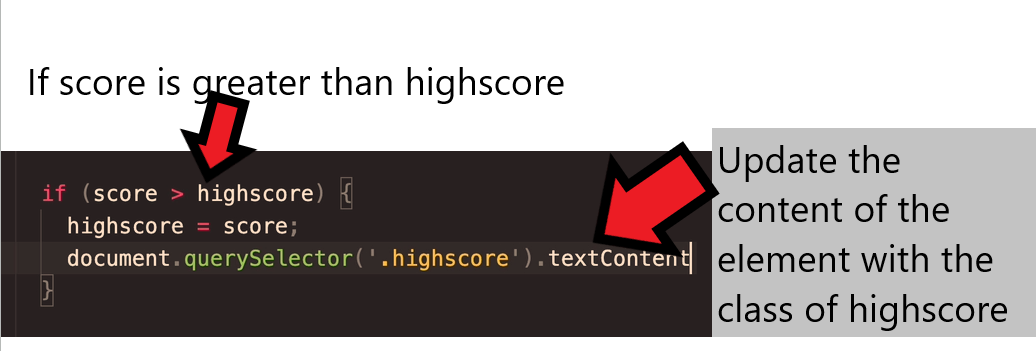
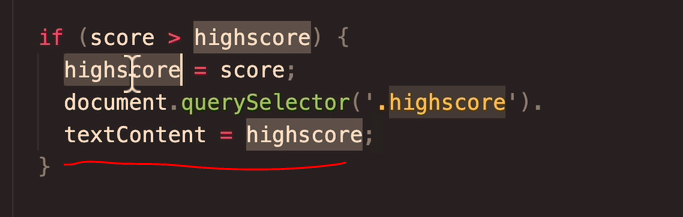
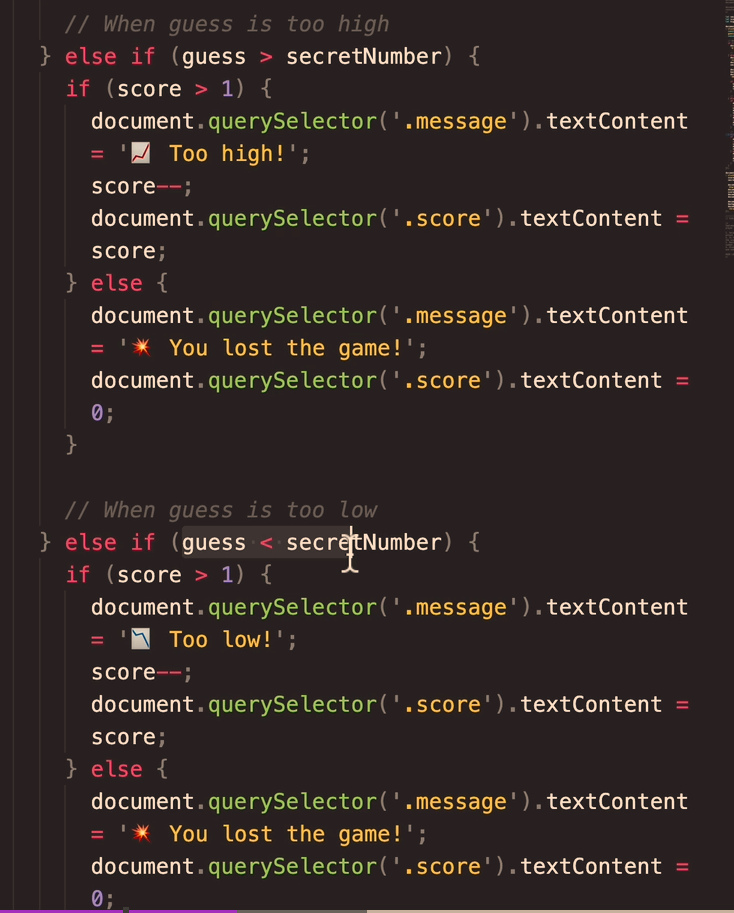
if the number entered (the guess), is equal to the secretNumber – then the code will print “Correct Number!” – to the element with the class of “message“.
What if the guess is greater than the Secret Number?
TLD;R – I just set everything in “rem” units instead of pixels and it keeps padding etc relatively-relative on all devices
First – you may want to use “padding-block:” – which is the padding for the top and the bottom only.
You can also use a “min()” statement or line of code, or whatever it’s called in CSS
If you type:
section {

padding-block: min(10vh, 10rem)
Min, Max & Clamp
Min
To use “min” – you may for example have a back-ground colour, with width:70% and max width:500px
width: min(500px, 70%)
Min will “look” for the smallest value – either 500px, or 70%
Min will choose the smallest value.
If you are on a mobile for example, 70% width, is less than 500px – so on mobile the background will be 70% of the viewport for a mobile.
If you are on a desktop computer, 500px will be less than 70% of the screen width – so the background will be 500px wide.
Responsive Equal Padding Top & Bottom
If you wanted to pad the top and bottom of text in the background:
padding-block: min (30px; 10%) ;
Max
width: max(500px, 70%)
max is the opposite – now it will use the maximum value.
on Mobile, 500px will be the largest
On Desktop – 70% will be the largest.
Padding with a Percentage
Calc Rem + VW
Yet another way to add padding, is to use “calc” and then add parameters/values for rem and vw
Rem (short for “root-em”) units dictate an element’s font size relative to the size of the root element. By default, most browsers use a font size value of 16px.
The full form of VW is viewport width. It works like the percentage unit. Specifying 10vw is equivalent to occupying 10% of entire visible screen width.
The code below the array in the screenshot below, starting with “for”, loops through the variable called “names” above it. Once it loops through it create “name” and then “console.log(name);” will get it to print on the console.log screen
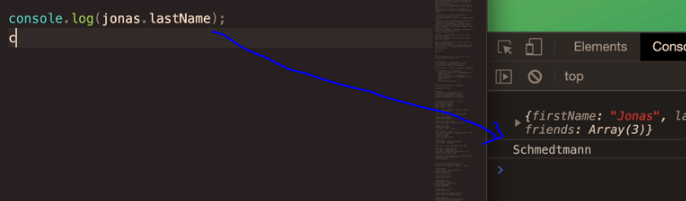
console.log just provides a way of testing and outputting stuff using web developer tools, inspect element etc.
The code below, will do the same as above, but this time it will add “Hello there” before each of the names:
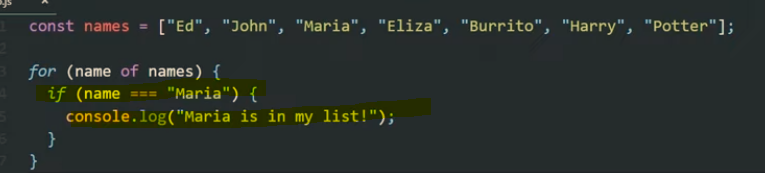
You can also add if conditions. For example, in the code below, the loop will check if “Maria” is in the list, and if so, will print out “Maria is in my list”
You can get the loop to stop once it finds “Maria” by using the “break” keyword.
The above code will print “Ed, John and then Maria and “Maria is in my list”. It will then stop and it won’t print all the names up to “Potter”.
As well as using the for loop with arrays, you can also use it with a single variable like “age”, and add an incremented – for example “age++”
The code shown below will print out and loop 10 times. starting at 0, and then 1, 2 etc. until finally the condition age <10 is no longer met
When the age is 10, it will stop.
A web dev example
Get all the links on a page, and return the number of the links on the page.
When the loop gets to the 6th link, it is no longer less than links.length, and so the loop stops:
(you can click the image to see a lager version, the important code is :
for (i = 0; i < links.length; i++)
To print out the final link, change “<links.length” to “<= links.length” – meaning “less than or equal to links.length”
for (i = 0; i <= links.length; i++)
For In Loops
For in loops, are the same as for loops except they are shorter to write but less flexible.
For Loop Example with an Array
Work out the age of people, given an array with their year of birth in it.
start with the array and then a new array, which will hold the ages:
If you are making multiple objects, it’s best to use the object constructor.
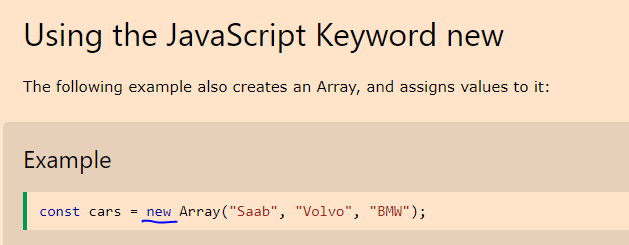
You can use a constructor to create a new object by calling the constructor with the new keyword. The new keyword will create an instance of an object and bind the this keyword to the new object.
The this keyword is a reference to the object itself.
function Fighter(name, age, nationality) {
    this.name = name;
    this.age = age;
    this.nationality = nationality;
    this.bio = function () {
        console.log(`My name is ${this.name}. I'm ${this.age} years old. I'm from ${this.nationality}`)
    }
};

const oladele = new Profile("Izzy", 29, "Nigeria" );
console.log(oladele.bio()); //My name is Izzy. I'm 29 years old. I'm from Nigeria
Here’s another example, using the this keyword from w3schools
<script>
// Constructor function for Person objects
function Person(first, last, age, eye) {
  this.firstName = first;
  this.lastName = last;
  this.age = age;
  this.eyeColor = eye;
}

// Create a Person object
const myFather = new Person("John", "Doe", 50, "blue");

// Display age
document.getElementById("demo").innerHTML =
"My father is " + myFather.age + ".";
</script>
The above code gives the output “my father is 50”. (which is printed to the paragraph with the id of “demo”)
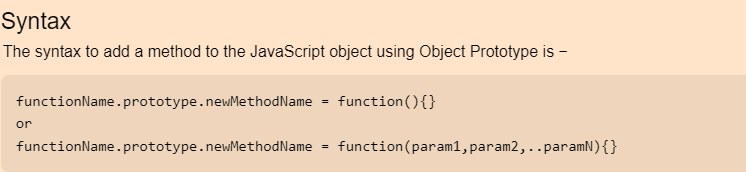
Adding a method to an object
We can add a method simply by adding another property that is a function. This function will be able to read the values of the object and work with them.
We will add an example that will print out the color of the table.
myTable.whatIsMyColor = function() {
 console.log("My color is: " + this.color);
};
Arrays are 0-based, in that the first value is 0, not 1 in terms of its position.
A JavaScript array has the following characteristics:
First, an array can hold values of mixed types. For example, you can have an array that stores elements with the types number, string, boolean, and null.
Second, the size of an array is dynamic and auto-growing. In other words, you don’t need to specify the array size up front.
Pick a store (leave on all store views put pick a store from the folders below)
Pick a folder –> click “Add Subcategory”
Include in menus – Off canvas & All Sports – don’t include in All Sports if it’s a level 3 sub-sub category – e.g. equipment – kits – men’s kits wouldn’t go in All Sports.
Enable category – No
INCLUDE IN MAIN MENU – NO (unless a main sport top-category page e.g. /cricket or football main page
Category Description Placement – Show at bottom
Category Name – Add H1
Leave menu settings
CONTENT
Add thumbnail image if you have one
Description – Edit with Page Builder – > Apply Template -> Search for “product” -> Use Product Description
APPLY
Click cog icon
Put <p> </p> tags and paste in description for page
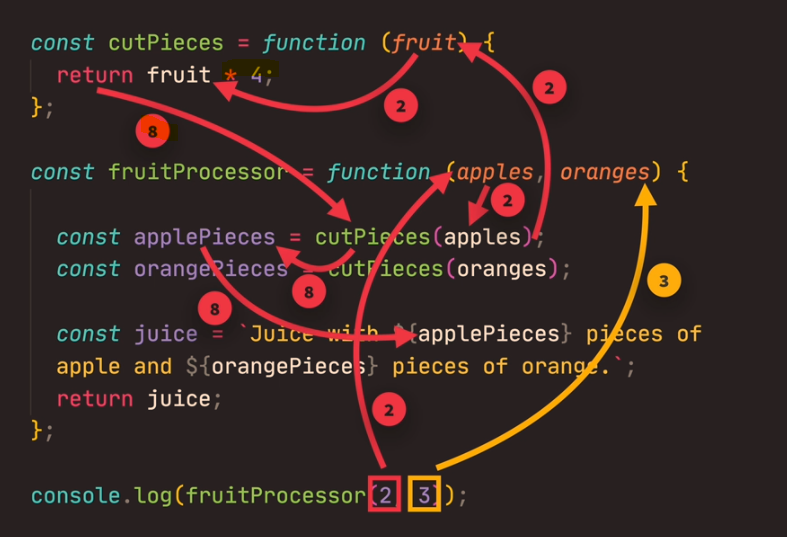
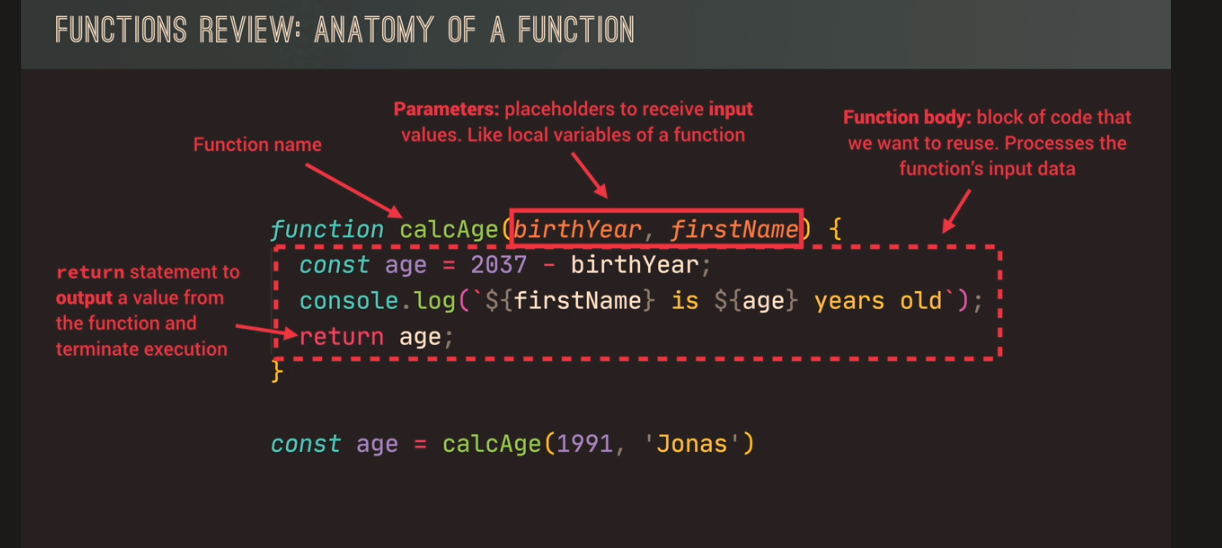
Function expressions are invoked to avoid polluting the global scope. Instead of your program being aware of many different functions, when you keep them anonymous, they are used and forgotten immediately.
To summarize, function declarations are utilized when you desire to establish a function in the global scope that can be accessed anywhere in your code. On the other hand, function expressions are employed to confine the accessibility of the function, reduce the weight of the global scope, and maintain a neat syntax.
The best report in Screaming Frog to see the source and destination of all 404s – is to go to Bulk Export at the top menu:
And then Response Codes – Client Error Inlinks
In the Exported Excel Sheet:
Copy the “destination” column
Paste into a new sheet/tab – In Column B
Remove duplicates
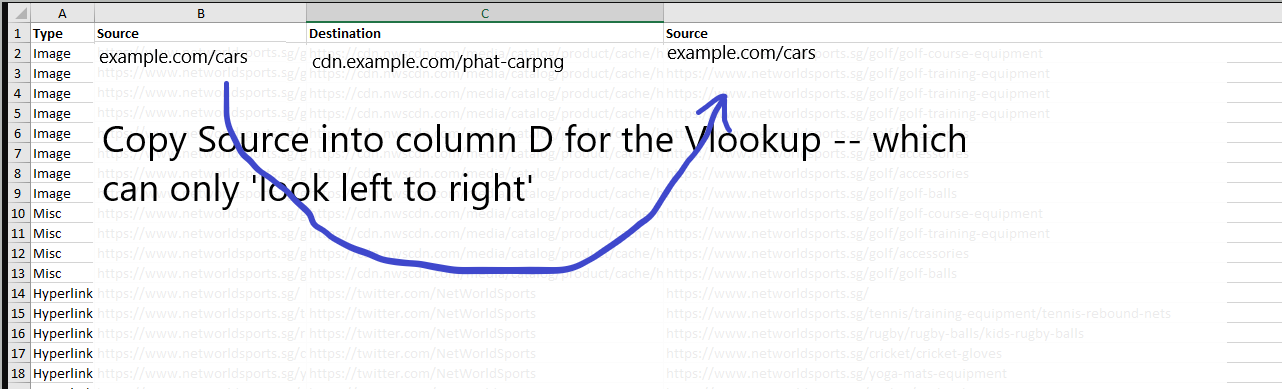
Back in the first sheet – Paste “Source”, into column D to the right of “destination” in first tab/sheet
In the second sheet – Do a vlookup in the second sheet/tab – to import a source URL to each unique “destination” URL Add the word “source” to cell C1 in the second sheet
I think you have to click the file name to download the example sheet below:
Just double click / drag it down to complete the lookup
You can add more lookups and columns to provide more details about the link location.
Just copy and paste values on the last Vlookup.
Paste another column like “Anchor” into column D on the first Tab
Paste the vlookup into the adjacent column
“0” means nothing found – i.e. no anchor text etc
Update –
404s found in the Navigation or “Aside” tend to be site-wide, so you can find one instance of this and update the 404 and Bob’s your uncle.
If a 404 is within the page content/copy however, they are possibly unique and need fixing individually. So take a look the Content 404s separately. They probably only have 1 source URL so no need to faff with vlookups etc.