Config File Explained for Non-Coder [2024]

The Magento configuration file is a critical document that contains important settings and directives for the operation of the Magento website. It acts as a site control panel where relevant information is stored and managed. As an SEO professional, even without a strong background in coding or server management, a basic understanding of this file can enable you to understand how the various technical aspects of a website work.

Here is a division of its purpose and functionality:

Stores basic settings: The Magento configuration file records key information such as database details (including data on products, customers and orders), security protocols, and caching mechanisms that affect site speed.

Regulates functionality: Directs Magento behavior by specifying preferences such as the language used, the currency displayed, and the activation status of certain features.

SEO considerations: URL structure: Some configurations affecting URL generation on a site can be managed here, which contributes to a cleaner, more optimized URL layout.

MTPuTTY Explained for Beginners (non-coders)

MTPuTTY (Multi-Tabbed PuTTY) is a tool that helps manage multiple server connections at the same time.

Here’s how it works in a simple, non-technical way:

By allowing users to open several tabs, MTPuTTY streamlines the process of connecting to various remote servers without the hassle of switching between different windows or applications. This means that you can seamlessly work on multiple projects concurrently, enhancing productivity and efficiency. Each tab operates independently, so you don’t lose your connection when navigating between tasks. Additionally, MTPuTTY provides a user-friendly interface, making it easier for newcomers to grasp the basic functionalities, while still offering advanced features for experienced users. This combination of simplicity and versatility makes MTPuTTY an invaluable tool for anyone who needs to maintain numerous server connections at once.

  1. What is PuTTY?: PuTTY is software that enables developers or server administrators to connect to a server remotely, such as accessing the back-end of a Magento website to make changes or check performance.
  2. What does MTPuTTY do?: MTPuTTY is like an upgraded version of PuTTY that allows people to open multiple server connections at once in different tabs. It’s particularly useful for someone managing several servers, because it keeps everything organized and easily accessible.
  3. How is it relevant to you?:
    • You won’t likely use it, but developers or technical SEO experts might. They use tools like this to access your website’s server and make behind-the-scenes optimizations that can impact website speed, performance, and security, all of which are important for SEO.
    • For example, if your site is running slowly, they might use MTPuTTY to connect to your server and make improvements, which could help with SEO by improving site speed.

In summary: MTPuTTY is just a tool that helps manage technical tasks on servers. While you don’t need to know how to use it, it’s helpful to understand that your team might use this tool to maintain your website’s health, which indirectly affects SEO performance.
SEO News & Tips – September 2024

Actionable Points:

  1. Impact Assessment:
    • Analyze Core Update Impacts: If your site was affected, investigate potential causes such as relevance adjustments, intent shifts, or quality issues.
    • Run Delta Reports: Isolate dropped queries and landing pages using delta reports to identify the reasons for traffic decline.**
  2. Content Strategy:
    • Reassess Content Strategy: Move away from generic content aimed at search engines (SEO-first) and focus on user-first content that aligns with intent and provides real value.
    • Avoid Overloading Pages: Do not overload pages with excessive information. Make them clear and relevant to user intent.
  3. Quality Over Quantity:
    • Holistic Quality Evaluation: Improve overall site quality, including UX, ads, presentation, and sources. It’s not just about content but the experience as a whole.
    • Long-Term Quality Improvements: Use a “kitchen sink” approach—continuous, holistic improvements to demonstrate significant quality enhancement over time.
  4. Utilize User Engagement Data:
    • Measure User Engagement: Focus on engagement metrics like click-through rates (CTR), time on page, and interactions (Navboost signals) to improve rankings.
  5. Consider the Intent Shifts:
    • Study Intent Shifts: Understand changes in user intent. Ensure your content targets the appropriate search intent, whether transactional, informational, or navigational.
    • Use Natural Language Processing (NLP) Tools: Leverage NLP tools to analyze how well your content aligns with searcher intent.*
  6. RankBrain and Vector Search:
    • Optimize for RankBrain: Vector search re-ranks results based on intent. Focus on improving content relevancy through quality rater feedback and actual user interactions.
  7. Monitor Industry-Specific Trends:
    • Industry Trends: Be aware of specific industry shifts (e.g., pet insurance, tech products) and adjust your SEO strategy accordingly. Specialized retailers and informational sites are gaining over commercial giants like Amazon.
  8. Consider Site Authority:
    • Balance Domain and Brand Authority: Tom Capper’s study suggests sites with higher brand authority (BA) performed better than those relying solely on domain authority (DA). Focus on building brand recognition alongside traditional SEO efforts.
  9. Core Update Response:
    • Future-Proofing: Continue producing high-quality, intent-driven content as Google aims to reward helpful content over SEO-first strategies. Sites that improve post-HCU or core updates will continue to see gains.
  10. Action for Content Creators:
  • Engage with the Community: Marie plans to collaborate with SB Pro members to develop a system for scoring intent alignment, potentially enlisting community support to study core update effects.

Marie also encourages community engagement, suggesting that producing authentic, user-focused content will be a key driver of success in the evolving search landscape.

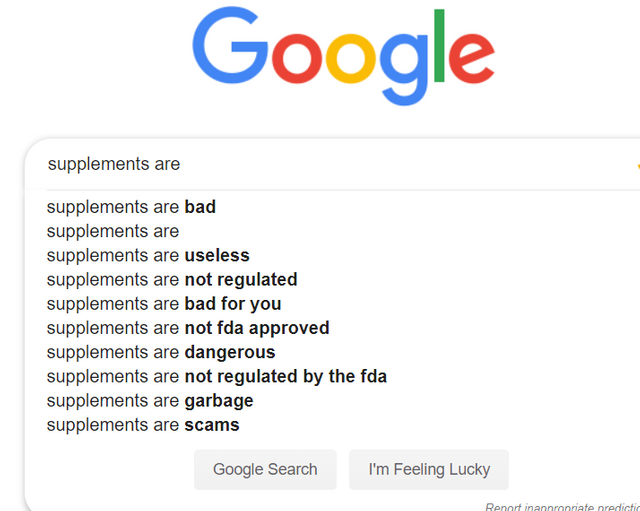
supplements are bad

*1. Use Natural Language Processing (NLP) Tools to Analyze Content Alignment with Searcher Intent

What is NLP?

Natural Language Processing (NLP) is a branch of artificial intelligence that focuses on the interaction between computers and humans through natural language. In the context of SEO and content creation, NLP tools help analyze and understand the nuances of language, enabling better alignment of your content with what users are searching for.

Why Align Content with Searcher Intent?

Searcher intent refers to the primary goal a user has when typing a query into a search engine. Understanding and aligning your content with this intent ensures that your pages meet the needs of your audience, leading to higher engagement, better rankings, and increased conversions.

How to Leverage NLP Tools:

  1. Identify Searcher Intent:
    • Types of Intent:
      • Informational: Users seeking information (e.g., “How to fix a leaky faucet”).
      • Navigational: Users looking to reach a specific website or page (e.g., “Facebook login”).
      • Transactional: Users intending to make a purchase or complete a transaction (e.g., “Buy iPhone 14”).
      • Commercial Investigation: Users researching products or services before making a decision (e.g., “Best DSLR cameras 2024”).
  2. Analyze Your Content:
    • Keyword Analysis:
      • Use NLP tools to analyze the keywords and phrases within your content to determine if they align with the identified searcher intent.
    • Content Structure:
      • Ensure your content is structured in a way that directly addresses the user’s query. For instance, use clear headings, bullet points, and concise paragraphs for better readability and relevance.
    • Semantic Analysis:
      • Assess the context and relationships between words to ensure your content comprehensively covers the topic.
  3. Optimize Content Based on Insights:
    • Content Gap Analysis:
      • Identify areas where your content may be lacking in addressing certain aspects of the searcher intent and enhance those sections.
    • Content Enrichment:
      • Add relevant information, multimedia elements, or interactive features to better satisfy user needs.
    • Language Refinement:
      • Adjust the tone, complexity, and style of your content to match the preferences and expectations of your target audience.

Recommended NLP Tools:

  1. Google Natural Language API:
    • Offers powerful text analysis capabilities, including sentiment analysis, entity recognition, and syntax analysis.
    • Google Cloud Natural Language
  2. IBM Watson Natural Language Understanding:
    • Provides comprehensive text analysis features such as keyword extraction, concept tagging, and emotion analysis.
    • IBM Watson NLU
  3. Ahrefs Content Gap Tool:
    • While not a pure NLP tool, it helps identify content gaps by comparing your site with competitors, which can be complemented with NLP analysis.
    • Ahrefs Content Gap
  4. Surfer SEO:
    • Integrates NLP techniques to optimize content structure and keyword usage based on top-ranking pages.
    • Surfer SEO
  5. Clearscope:
    • Uses NLP to provide keyword suggestions and content optimization recommendations to improve relevancy.
    • Clearscope

Implementation Steps:

  1. Choose the Right NLP Tool:
    • Select a tool that fits your technical expertise and specific needs. For instance, Google Natural Language API is highly customizable but may require more technical setup compared to user-friendly platforms like Surfer SEO.
  2. Conduct a Content Audit:
    • Use the chosen NLP tool to analyze your existing content. Look for metrics like keyword density, semantic relevance, and sentiment alignment with user intent.
  3. Map Content to Search Intent:
    • Categorize your pages based on the primary search intent they fulfill. Ensure each page clearly aligns with its intended user goal.
  4. Optimize and Update Content:
    • Based on the analysis, make necessary adjustments to improve alignment. This could involve rewriting sections, adding new information, or restructuring content for better clarity and relevance.
  5. Monitor and Iterate:
    • After optimization, continuously monitor your content’s performance. Use analytics to assess improvements in rankings, engagement metrics, and conversions, and iterate as needed.

*2. Run Delta Reports: Isolate Dropped Queries and Landing Pages to Identify Reasons for Traffic Decline

What are Delta Reports?

Delta reports in SEO are comparative analyses that track changes in your website’s performance metrics over specific periods. By comparing data before and after a Google core update (or any significant change), you can identify which queries and landing pages experienced fluctuations in traffic.

Why Run Delta Reports?

Running Delta reports helps you pinpoint the exact areas of your website that are affected by algorithm changes. Understanding these changes allows you to take targeted actions to recover lost traffic and optimize your site for future updates.

How to Run Delta Reports:

  1. Gather Data:
    • Time Frames:
      • Pre-Update Period: Data from a period before the core update (e.g., two weeks before).
      • Post-Update Period: Data from a period after the core update has been fully rolled out (e.g., two weeks after).
    • Metrics to Collect:
      • Organic traffic
      • Impressions
      • Click-through rates (CTR)
      • Average position
  2. Use SEO Tools:
    • Google Search Console (GSC):
      • Provides comprehensive data on search performance, including queries and landing pages.
      • Google Search Console
    • Google Analytics:
      • Offers insights into overall traffic patterns and user behavior.
      • Google Analytics
    • Third-Party SEO Tools:
      • Tools like SEMrush, Ahrefs, and Moz can provide additional data and more sophisticated reporting features.
      • SEMrush
      • Ahrefs
      • Moz
  3. Generate Comparative Reports:
    • Google Search Console Steps:
      1. Access Performance Report:
        • Navigate to Performance > Search Results.
      2. Set Date Range:
        • Select a date range that covers both pre-update and post-update periods.
      3. Export Data:
        • Export the performance data for both periods to a spreadsheet for easier comparison.
      4. Calculate Delta:
        • Use formulas to calculate the percentage change in impressions, clicks, CTR, and average position for each query and landing page.
  4. Analyze the Data:
    • Identify Drops and Gains:
      • Highlight queries and pages that saw significant drops or gains in traffic.
    • Segment the Data:
      • Break down the data by categories such as content type, topic, or user intent to identify patterns.
    • Look for Correlations:
      • Determine if there are common factors among the affected queries/pages, such as content quality, relevance, or technical issues.
  5. Identify Potential Causes:
    • Relevancy Issues:
      • Content may no longer align with the updated search intent or relevancy criteria.
    • Technical Problems:
      • Issues like slow page speed, mobile usability problems, or broken links can impact rankings.
    • Content Quality:
      • Thin content, outdated information, or lack of depth can lead to declines.
    • Competitor Improvements:
      • Competitors may have enhanced their content, earning higher rankings.
    • User Experience (UX):
      • Poor UX, intrusive ads, or difficult navigation can negatively affect rankings.
  6. Develop an Action Plan:
    • Content Optimization:
      • Revise and enhance content to better match searcher intent and improve quality.
    • Technical SEO Fixes:
      • Address any identified technical issues to improve site performance.
    • Improve UX:
      • Enhance the overall user experience to keep visitors engaged and reduce bounce rates.
    • Monitor Competitors:
      • Analyze top-performing competitors to understand what changes they made that may have contributed to their gains.
    • Continuous Monitoring:
      • Regularly update and monitor Delta reports to track the effectiveness of your optimizations and stay ahead of future updates.

Tools and Techniques for Delta Reporting:

  1. Google Search Console (GSC):
    • Export and Compare:
      • Export performance data before and after the update and use spreadsheet tools to calculate differences.
    • Filtering Options:
      • Use filters to narrow down specific queries or pages for detailed analysis.
  2. Google Analytics:
    • Custom Reports:
      • Create custom reports to compare traffic sources, user behavior, and conversion metrics across different periods.
    • Annotations:
      • Use annotations to mark the date of the core update, helping correlate changes in data with the update rollout.
  3. SEO Platforms:
    • SEMrush’s Position Tracking:
      • Track keyword rankings over time and compare pre- and post-update positions.
    • Ahrefs’ Site Explorer:
      • Analyze backlink profiles and organic search traffic changes.
    • Moz’s Rank Tracker:
      • Monitor keyword performance and identify ranking fluctuations.
  4. Spreadsheet Analysis:
    • Pivot Tables:
      • Use pivot tables to summarize and analyze large datasets effectively.
    • Visualization:
      • Create charts and graphs to visualize traffic trends and identify significant changes.

Best Practices for Delta Reporting:

  • Consistent Time Frames:
    • Ensure the comparison periods are equivalent in length and cover similar days of the week to account for any variability.
  • Account for Seasonality:
    • Be aware of seasonal trends that might affect traffic independently of the core update.
  • Focus on Significant Changes:
    • Prioritize queries and pages with substantial traffic drops or gains to address the most impactful issues first.
  • Iterative Analysis:
    • Continuously refine your analysis by incorporating additional data points or adjusting your reporting criteria as needed.

Putting It All Together: Enhancing Your SEO Strategy

By integrating NLP-based content analysis and Delta reporting, you can create a robust SEO strategy that not only aligns your content with user intent but also allows you to proactively identify and address issues arising from algorithm updates. Here’s a step-by-step approach to combining these strategies:

  1. Initial Content Audit:
    • Use NLP tools to assess the alignment of your existing content with searcher intent.
    • Identify content areas that need enhancement or restructuring.
  2. Post-Update Performance Analysis:
    • After a core update, run Delta reports to identify affected queries and pages.
    • Cross-reference these findings with your NLP analysis to understand if misalignment with search intent contributed to the declines.
  3. Optimization and Implementation:
    • Optimize affected content based on insights from both NLP analysis and Delta reports.
    • Enhance content quality, adjust for better intent alignment, and fix any technical issues identified.
  4. Continuous Monitoring and Improvement:
    • Regularly use NLP tools to keep your content aligned with evolving search intents.
    • Continuously monitor your site’s performance with Delta reports to stay ahead of any negative trends.
  5. Community Engagement and Learning:
    • Engage with SEO communities (like the Search Bar Pro Community mentioned in your summary) to share insights and learn from others’ experiences.
    • Stay updated with the latest SEO trends and algorithm changes to adapt your strategy accordingly.

Additional Resources

  • Google’s Search Quality Evaluator Guidelines:
  • Moz’s Beginner’s Guide to SEO:
  • Ahrefs’ SEO Learning Center:
    • Offers tutorials and articles on various SEO topics, including content optimization and performance analysis.
    • Ahrefs Learning Center
  • Surfer SEO’s Guides:
    • Detailed guides on using their tools for content optimization and SEO analysis.
    • Surfer SEO Guides

Implementing these strategies effectively can lead to improved search rankings, better user engagement, and sustained organic growth. By continuously aligning your content with user intent and proactively monitoring your site’s performance, you can navigate algorithm updates with greater confidence and resilience.

If you have any further questions or need assistance with specific tools or techniques, feel free to ask!

Business Audience Schema Example [2024]


{
  "@context": "https://schema.org",
  "@type": "WebPage",
  "mainEntity": {
    "@type": "BusinessAudience",
    "audienceType": "Consumers",
    "description": "Middle-class residents of the United Kingdom interested in purchasing t-shirts.",
    "geographicArea": {
      "@type": "AdministrativeArea",
      "name": "United Kingdom"
    },
    "hasOfferCatalog": {
      "@type": "OfferCatalog",
      "name": "T-Shirts",
      "itemListElement": [
        {
          "@type": "Offer",
          "itemOffered": {
            "@type": "Product",
            "name": "T-Shirt"
          }
        }
      ]
    },
    "additionalType": "https://schema.org/Commerce",
    "audience": {
      "@type": "Audience",
      "audienceType": "Middle-class",
      "description": "Individuals with average to above-average income levels"
    }
  }
}

Here’s business Audience schema for a B2B business:

{
  "@context": "https://schema.org",
  "@type": "BusinessAudience",
  "audienceType": "Business",
  "numberOfEmployees": {
    "@type": "QuantitativeValue",
    "minValue": 50,
    "maxValue": 500
  },
  "yearlyRevenue": {
    "@type": "QuantitativeValue",
    "minValue": 1000000,
    "maxValue": 10000000
  },
  "geographicArea": {
    "@type": "AdministrativeArea",
    "name": "United States"
  }
}

eCommerce Structured Data

E-commerce Example for Structured Data Carousels

Below are step by step instructions

You will need:

  • A “summary” or “Product Listings Page” with structured data
  • Structured data on the product pages themselves

At the time of writing, this feature is only available in EU countries.

Step 1: Choose and Implement a Summary Page

Create a summary page that lists multiple products, each linking to a detailed product page.

For example, a category page that lists “Top 5 Winter Coats.”

Step 2: Add Required Properties to the Summary Page

Add the ItemList structured data to your summary page. Here’s an example in JSON-LD format:

<html>
  <head>
    <title>Top 5 Winter Coats</title>
    <script type="application/ld+json">
      {
        "@context": "https://schema.org",
        "@type": "ItemList",
        "itemListElement": [
          {
            "@type": "ListItem",
            "position": 1,
            "item": {
              "@type": "Product",
              "name": "Puffy Coat Series by Goat Coat",
              "image": [
                "https://example.com/photos/1x1/photo.jpg",
                "https://example.com/photos/4x3/photo.jpg",
                "https://example.com/photos/16x9/photo.jpg"
              ],
              "offers": {
                "@type": "AggregateOffer",
                "lowPrice": 45.00,
                "highPrice": 60.00,
                "priceCurrency": "USD"
              },
              "aggregateRating": {
                "@type": "AggregateRating",
                "ratingValue": 4.9,
                "reviewCount": 50
              },
              "url": "https://www.example.com/puffy-coats"
            }
          },
          {
            "@type": "ListItem",
            "position": 2,
            "item": {
              "@type": "Product",
              "name": "Wool Coat Series by Best Coats Around",
              "image": [
                "https://example.com/photos/1x1/photo.jpg",
                "https://example.com/photos/4x3/photo.jpg",
                "https://example.com/photos/16x9/photo.jpg"
              ],
              "offers": {
                "@type": "AggregateOffer",
                "lowPrice": 189.00,
                "highPrice": 200.00,
                "priceCurrency": "USD"
              },
              "aggregateRating": {
                "@type": "AggregateRating",
                "ratingValue": 4.7,
                "reviewCount": 827
              },
              "url": "https://www.example.com/wool-coats"
            }
          },
          {
            "@type": "ListItem",
            "position": 3,
            "item": {
              "@type": "Product",
              "name": "Antarctic Coat by Cold Coats",
              "image": [
                "https://example.com/photos/1x1/photo.jpg",
                "https://example.com/photos/4x3/photo.jpg",
                "https://example.com/photos/16x9/photo.jpg"
              ],
              "offers": {
                "@type": "Offer",
                "price": 45.00,
                "priceCurrency": "USD"
              },
              "aggregateRating": {
                "@type": "AggregateRating",
                "ratingValue": 4.9,
                "reviewCount": 1290
              },
              "url": "https://www.example.com/antarctic-coat"
            }
          }
        ]
      }
    </script>
  </head>
  <body>
  </body>
</html>

Step 3: Validate Your Code

  1. Rich Results Test: Validate your structured data using the Rich Results Test.
  2. URL Inspection Tool: Use the URL Inspection tool in Google Search Console to ensure your page is accessible and not blocked by robots.txt or noindex tags.

Step 4: Deploy Your Page

  1. Deploy your summary page and a few detail pages.
  2. Use the URL Inspection tool to request indexing of your new pages.

Step 5: Submit a Sitemap

  1. Create a sitemap including your summary and detail pages.
  2. Submit the sitemap through Google Search Console to ensure Google knows about all your pages.

Step 6: Follow Guidelines

  1. Ensure compliance with Search Essentials.
  2. Adhere to general structured data guidelines and specific requirements for carousel rich results.

Example Detail Pages

Each product linked from the summary page should have its own detail page with structured data. For example:

<html>
  <head>
    <title>Puffy Coat Series by Goat Coat</title>
    <script type="application/ld+json">
      {
        "@context": "https://schema.org",
        "@type": "Product",
        "name": "Puffy Coat Series by Goat Coat",
        "image": [
          "https://example.com/photos/1x1/photo.jpg",
          "https://example.com/photos/4x3/photo.jpg",
          "https://example.com/photos/16x9/photo.jpg"
        ],
        "description": "A stylish and warm puffy coat perfect for winter.",
        "offers": {
          "@type": "Offer",
          "price": 45.00,
          "priceCurrency": "USD",
          "url": "https://www.example.com/puffy-coats"
        },
        "aggregateRating": {
          "@type": "AggregateRating",
          "ratingValue": 4.9,
          "reviewCount": 50
        }
      }
    </script>
  </head>
  <body>
  </body>
</html>

That should be it!


Helpful Core Update – March 2024

Core Update and Helpful Content System:

  • As the name suggests, Google’s March 2024 core update aims to prioritise useful information over content that seems optimized for search engines. In theory, spammy shite should be dropped in the rankings. In theory. Hopefully the twats at hydragun who keep robbing my MMA blogs content will get a spanking.
  • The helpful content system is revamped and integrated into the core ranking algorithm to better identify genuinely helpful content and reduce unoriginal content.
  • The guys in the know, expect the rollout to take a month, with significant ranking fluctuations during this period.
  • Google aims to reduce low-quality, unoriginal content in search results by 40%. Not 100%, updates begin at 40.

Actionable To-Do List:

  1. Review Content Quality: Assess your website’s content for originality and usefulness to real users, not just for SEO.
  2. Write from experience, and in the first person.  Unless you’re a big brand, then do what you like.
  3. Monitor Rankings: Prepare for fluctuations in search rankings as the update rolls out. Use this time to identify areas for improvement.
  4. Update Content Strategy: Focus on creating high-quality, original content that addresses your audience’s needs and questions. Use forums and social media groups to identify your customers pain points and common questions. Your CS and sales teams can also provide insights. Also get chat gpt to put keywords into themes of different queries.
  5. Avoid Spam Tactics: Steer clear of expired domain abuse, scaled content abuse, and site reputation abuse to avoid penalties.
  6. Build your brand. Branded searches and search volumes, make a massive difference, in my experience (see what I did there?).

It generally helps, in theory, to write from experience rather than just giving an overview that anyone could scrape and rewrite from the internet. Include your own images, videos etc.

I don’t have any images of Google updates, see here’s a pic of my dog:


Big brands will still probably have a massive advantage regardless of what they do.

Spam Updates:

  • Significant changes to spam handling will start on May 5, 2024, affecting sites through algorithmic adjustments or manual actions.
  • New spam policies target expired domain abuse, scaled content abuse (especially AI-generated content), and site reputation abuse.

General Recommendations:

  • Recognize the shift towards rewarding authoritative and genuinely helpful content.
  • Anticipate a more significant impact from updates targeting spam and low-quality content.
  • Understand that recovery from these updates may require fundamental changes beyond SEO, focusing on building a reputable and sought-after brand for quality content.

Image from BBC