
If You’re Folder URL Resolves with a 200 with a trailing slash /
For example – to crawl mysite.com/buyers-guides/
To crawl only URLs in the /buyers-guides/ folder on mysite.com using Screaming Frog, follow these steps:
- Open Screaming Frog SEO Spider and enter the URL: https://www.mysite.com/buyers-guides/
- Go to Configuration > Spider > Crawl
- Under “Crawl Limits,” select “Limit Crawl Depth” and set it to 1 to crawl only the specified folder
- In the “Include” box, add this pattern:
https://www.mysite.com/buyers-guides/.* - Start the crawl by clicking the “Start” button
This configuration will ensure Screaming Frog only crawls URLs within the /buyers-guides/ folder on networldsports.co.uk, excluding other sections of the website.
If You’re Folder URL Resolves with a 200 without a trailing slash /
https://www.mysite.com/buyers-guides
Enter the URL of the domain plus sub/folder into the main address bar on Screaming Frog.
Choose Sub-folder option to the right of the address bar:
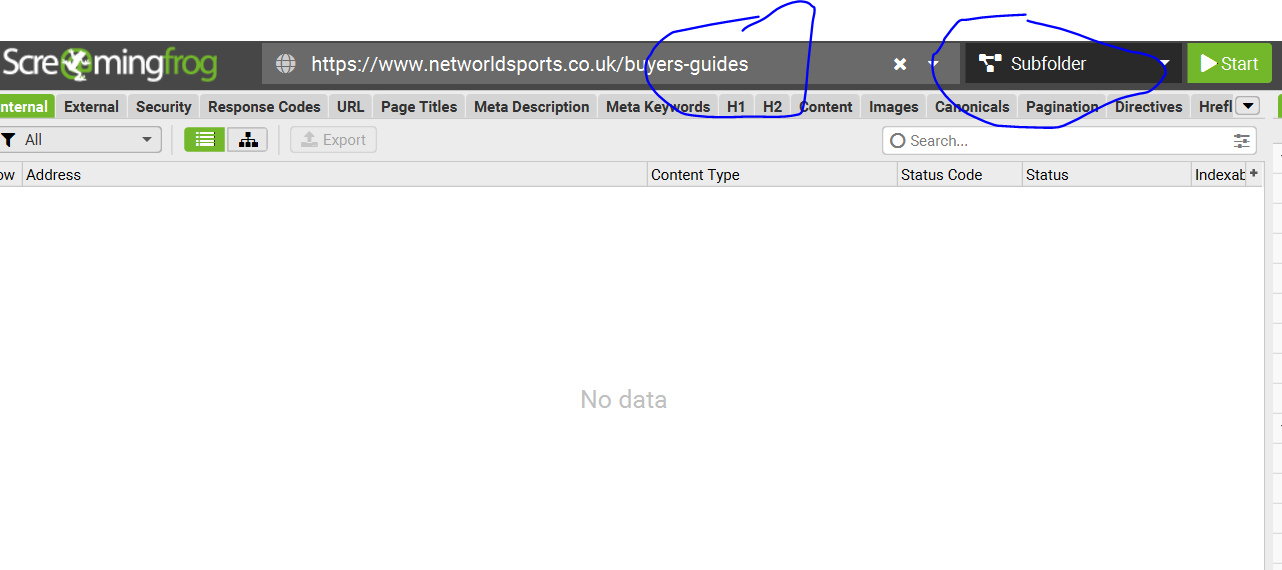
Go to Configuration (top menu bar, to the left) >Spider > crawl > Include
– Add the sub-folder (without trailing slash) to the include section:

Click “Start”. (Button to the right of the “Subfolder” drop down).
Crawling a sub-folder – plus all internal & external links that are contained within the sub-folder pages.
The protocol above would only check the status codes of any URLs actually held within the /buyers-guides/ folder.
For example, if a football goal guide, links to the FA’s website, and 404s, the above methods would not pick this up (as the FA doesn’t have /buyers-guides/ in the homepage etc)
- Crawl and check all the URLs within a sub-folder e.g.
https://www.example.com/buyers-guides
2. get the status codes of any internal and external link, that point to outside the folder?
For example:
Our football goal guide –
https://www.example.com/buyers-guides/football-pitch-size-guide
Contains links that point outside of the buyers-guides folder, like to our product pages and external links to thefa.com etc.
Sub-Folder with Trailing Slash /buyers-guides/
Crawl https://www.example.com/buyers-guides/ with ‘Crawl Outside of Start Folder’ disabled, but with ‘Check Links OutSide of Start Folder’ enabled.
Sub-Folder with NO Trailing Slash /buyers-guides
Perform the crawl outlined above (using the include), get the list of https://www.example.com/buyers-guides URLs
then switch to list mode (Mode > List), go to ‘Config > Spider > Limits‘ and change the ‘Limit Crawl Depth’ from ‘0’ to ‘1” and upload and crawl the URLs
Remember to delete in include /buyers-guides from the crawl config before doing the above
i.e. Config>Spider>Include – remove anything in the box/field.
 Small Business Dad